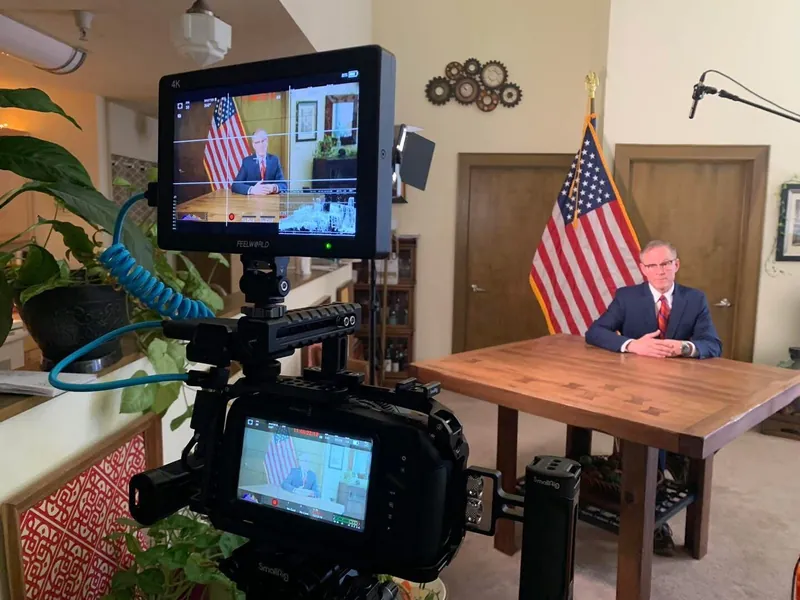
How to Film a Campaign Video in Wisconsin
A voter decides in a few seconds if they trust you, and they decide with their ears and eyes before they hear a single plan. A rough video can fail that test, and a phone alone is a risky way to pass it.
 Tony RuffiPublished Updated 9 min read
 Add as a preferred source on Google
We do not recommend a phone for your main campaign video, because quality is credibility. This article explains why, and if budget is tight, it shows how to get as close to pro as a phone allows, with a one-page shot card. Call us for a consult before you film.
Set up, shoot, send
Should you use a phone for a campaign video?
We do not recommend it for your main video. A phone can record sharp pictures, but voters judge quality by sound, light, a steady shot and good words, and those take skill. If budget forces a phone, you can still look sharp with a tripod, a small microphone and a window, and a quick consult first helps you get it right.
- Quality is credibility:a rough video can make voters doubt you
- 3 thingsmake a phone video look better: steady shot, clean sound, soft light
- 1 tripodand 1 clip-on microphone are the least gear a phone video needs
- 30 to 90 secondsis a good length for a first video
- 1 call to usbefore you film saves you from a bad first look
- 1 idea, 1 askin every video
- 3 takesat least, then pick the one where you sound most like yourself
Think of it like a band recording a demo. A demo can work for friends, but you would not release it as the album. Your main video is the album. Our campaign video ideas article lists seven videos worth making, and this one shows how to get the most from a phone when budget is tight.
What do you need before you press record?
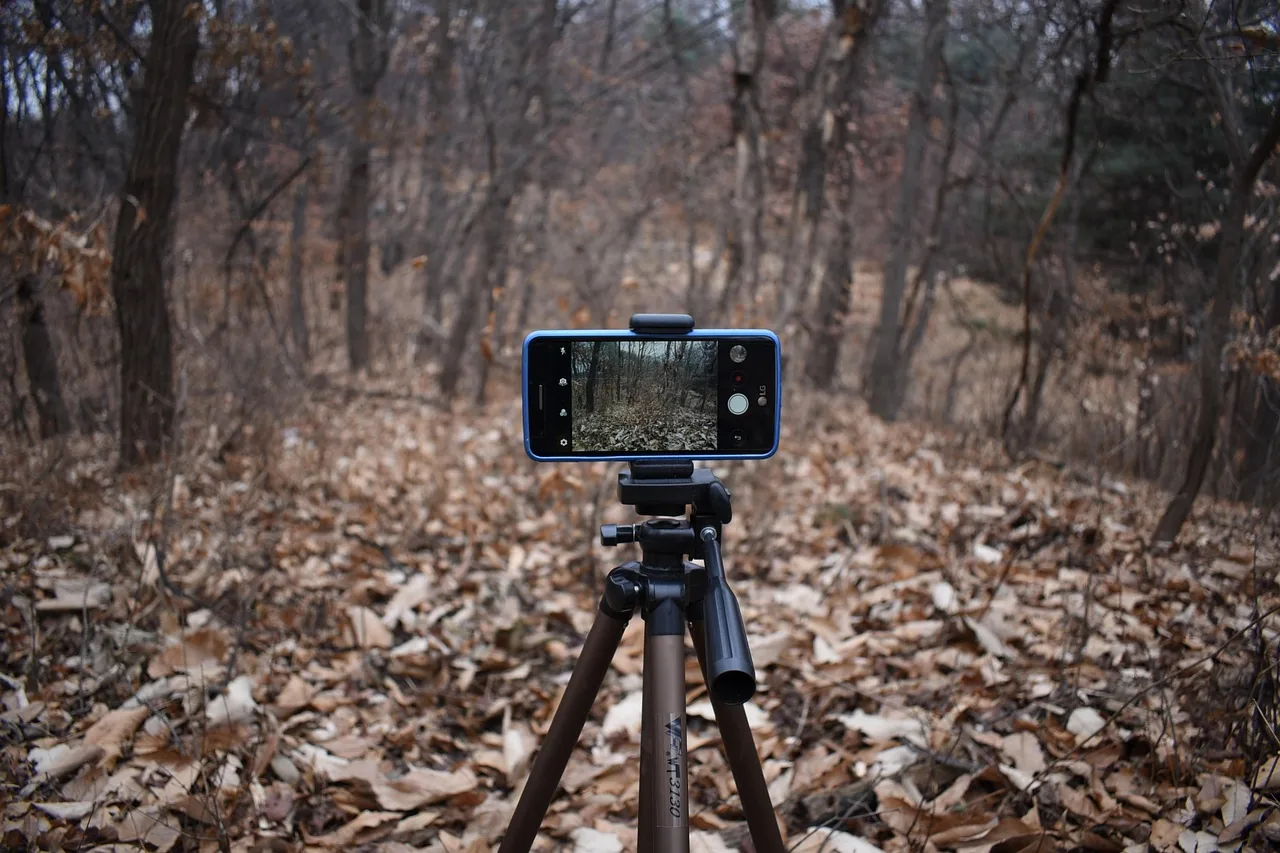
If you do go with a phone, you need a tripod, a small microphone and a quiet room with a window. That is the least you should use. A tripod holds the phone still, a microphone fixes the sound, and a window gives you free light. Gear costs less than you would guess, and none of it has to be fancy.
| Item | What it does | A good-enough choice |
|---|---|---|
| Phone | Records the video | The one you have, using the back camera |
| Tripod | Keeps the shot still | Any tripod with a phone clamp |
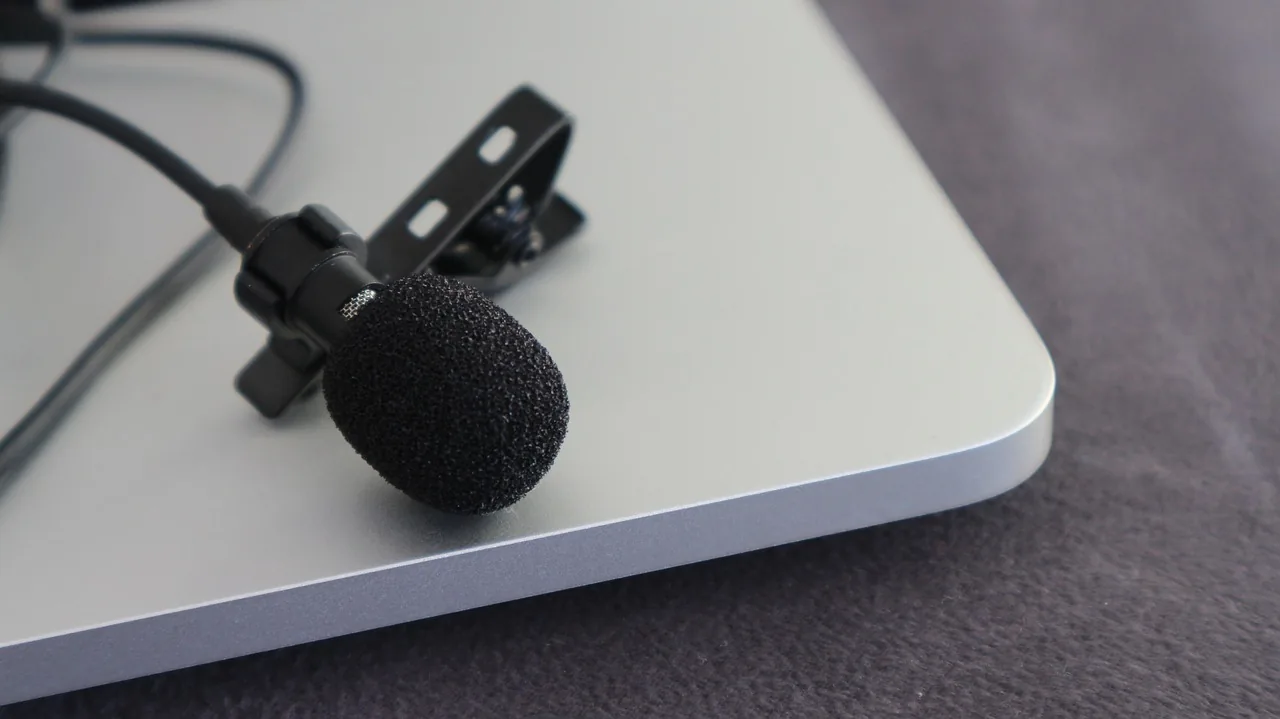
| Microphone | Makes your voice clear | A clip-on mic that plugs into the phone |
| Window | Gives soft light | A big window facing you |
| Cloth or wall | Keeps the background calm | A plain wall, a flag or a shelf with a few books |
Clean the phone lens with a soft cloth first. A thumbprint makes the whole video look foggy, and most people forget to check. Then turn on "Do Not Disturb" so a call does not ruin your best take.
Why does sound matter more than the picture?
Voters may forgive a plain picture, but they stop watching when they cannot hear you. A phone held far away picks up echo, wind and traffic. Get the microphone close to your mouth, film in a quiet room and the video will feel much more trusted than the same words filmed from across the room.
Here is how we fix sound, in order:
- Pick a small, quiet room. Soft things like couches and rugs soak up echo.
- Turn off fans, TVs and the heat for a minute. Phones hear all of it.
- Clip the mic about a hand's width below your chin. Hide the wire under your shirt.
- Do a ten-second test. Say your name, stop, and play it back with headphones.
- Watch for wind if you film outside. A soft cover on the mic helps, and a spot behind a building helps more.
If you only fix one thing, fix this one. A person with good sound and a rough picture still looks like someone worth hearing.
How do you light your face without buying lights?
Face a big window and let the sun light you from the front. Soft daylight is kind to every face. Never stand with the window behind you, because the phone will turn you into a dark shape. If the day is dark, turn on two lamps behind the phone, one on each side.
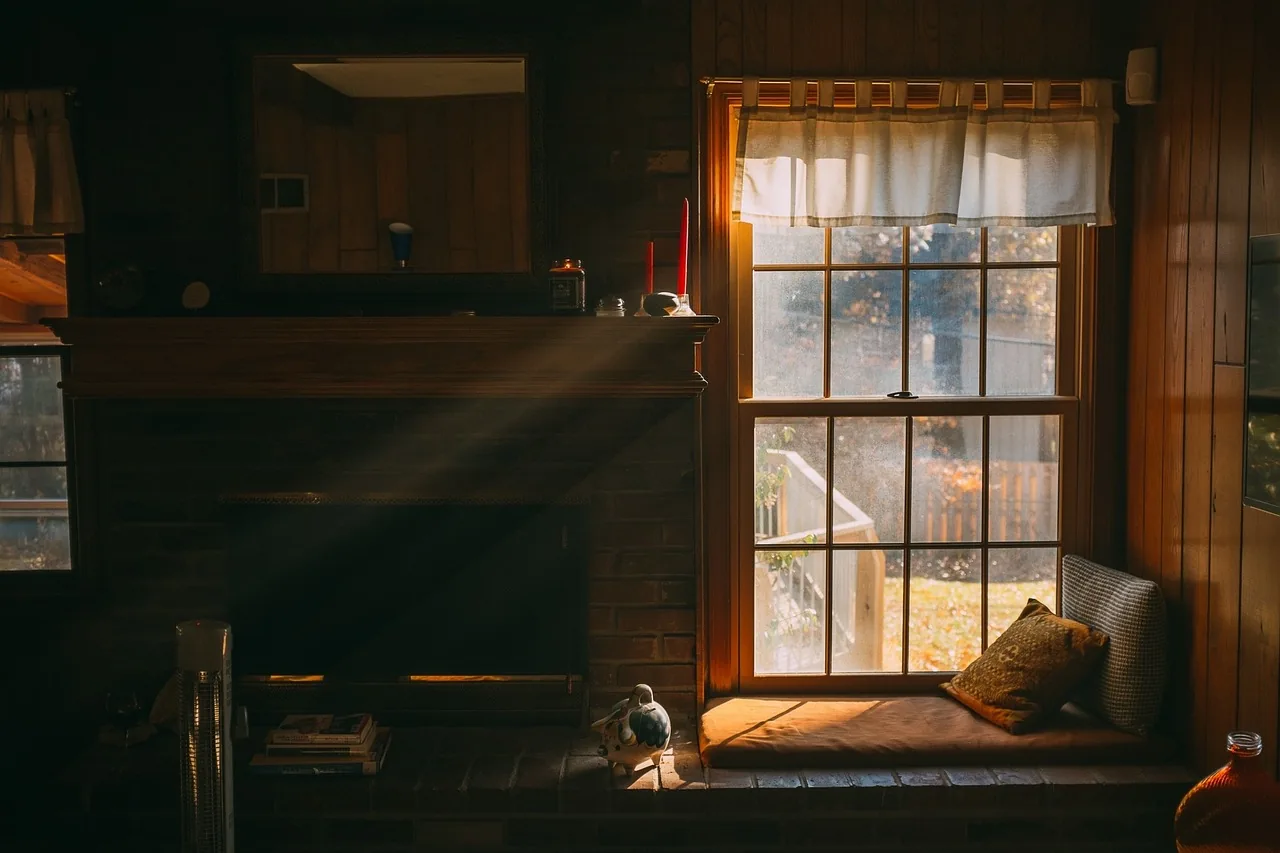
A few small rules help a lot:
- Face the light. The window should be in front of you, not behind you.
- Skip mixed light. A window plus a yellow lamp makes your skin look two colors, so pick one.
- Film in the same light as your take one. If a cloud comes over, take a break and start again.
- Look at the screen before you film. If your eyes look dark, turn a little toward the window.
Our headshots article has more on how you look on camera, and our campaign colors article can help you pick what to wear and what to put behind you.
Where should you stand & where should you look?
Put the phone at eye level, about an arm and a half away, and look right at the lens, not at the screen. Keep your head and shoulders in the middle of the shot, with a little space above you. Eye contact with the lens feels like eye contact with the voter at home.
Think of the lens as a person. Pick a spot just above or beside it and talk to that spot like you are talking to one neighbor. A few more habits help:
- Film sideways for your website and YouTube.
- Stand still or sit in a steady chair, with the phone locked on the tripod.
- Pick a calm background. A plain wall beats a messy shelf.
- Talk with your hands a little, as long as they stay in the shot.
- Smile when you say your name, since that is the part people remember.
Say it out loud in a plain way. If it sounds like a speech, say it again like you are at a kitchen table.
What did one plain video do for a state race?
It shows that a plain, well-planned video can get attention. In March 2014, Joni Ernst, then a state senator running for the U.S. Senate in Iowa, released an ad that joked about her farm work castrating pigs to promise she would cut "pork" in Congress. News outlets and late-night shows picked it up (Wikipedia, citing news reports). Before the ad, she had struggled to raise money and trailed in two February primary polls. After it ran, an early April poll showed her narrowly ahead and another showed a near tie. She went on to win the seat that November.
We are not saying one video won a race, and no one can prove that. What we take from it is this: the ad had a clear idea, a real voice and a tight plan, which is the work a good video team does. The tool mattered less than the plan.
What did a Wisconsin Assembly race teach us about video?
It taught us that the first look voters get of you matters most when they do not know you yet. In 2024 Brent Jacobson ran in a newly created Assembly district, where almost no one had a long history with the seat. He took 66% of the vote (Bluejack case studies). We are not saying a video did that. We are saying a new district is a place where every voter is meeting the name for the first time.
Here is what we see most. First-time candidates get quality wrong, and quality is credibility. A video that looks and sounds rough can make a voter wonder if you are real. Some think it is a joke or a skit, and some think you are not serious about running.
Quality does not just mean hiring a pro, because not every pro does good work. It means good light, clean sound, a sharp picture, good words and someone who knows how to plan a short ad shot by shot. We do not recommend a phone for your main video. A skilled filmmaker can make a great movie with one, but that comes from years of practice, and a beginner with a phone rarely gets there. If you are on a budget, call us for a consult first, so you get the setup right and look as professional as a phone allows.
When a voter does not know you, the first video is often the first handshake. So give it the same care you would give a face to face meeting.
Want quality work done on your campaign video? Our video team and consultants work with candidates all over Wisconsin, up north included, at every level of the ballot. Your first call is free.
What should you do right after you film?
Watch the video all the way through, with headphones on, before you do anything else. Check the sound first, then the picture, then the words. Keep the take where you sound most like yourself, not the one where you said it perfectly. Then trim it, add captions and save two copies.
Here is the order we use after the shoot:
- Pick the take. Choose the one with the most warmth, even if you stumbled once.
- Trim the start and end. Cut the first second and the last second, so it opens fast.
- Add captions. Many people watch with the sound off, and captions also help those who cannot hear well.
- Save two copies, one sideways and one upright, if you plan to post in both places.
- Put it where voters will find it. Your website and your announcement come first.
If a video is a paid ad or shows up in a paid post, it may need a "paid for by" line. Start with our paid-for-by article. Then ask your filing officer, and read the Ethics Commission's attribution page and the Wisconsin Elections Commission site to confirm what applies to you. This is a plain-English overview and not legal advice.
Where do first-timers slip with phone video?
They film in a noisy room, stand in front of a window, hold the phone in their hand and say too much. Each one is easy to fix before you start. Here is the list we run through with every candidate, with a fix beside each.
- Echo in a big room. Move to a small room with soft things in it.
- A window behind you. Turn around, so the window is in front of you.
- A shaky phone. Use the tripod, even for a 30 second video.
- Reading from a page. Use 4 or 5 bullet points, not a script.
- Too long. Cut it to one idea and one ask.
- No captions. Add them, since many people watch on mute.
- A first take only. Film at least three, and pick the best one.
One more slip is filming once and never again. A video is not a one-time event, so plan a few short ones across the race. Our first-time candidate advice article has more on the small habits that add up.
Print this card & film tomorrow
If you must use a phone, here is a shot card you can print or save. Do each row in order. It is best for small clips, and for your main video we still say to call us first. Change it to fit your race, since nothing about it is a rule.
| Step | What to do | Done |
|---|---|---|
| 1 | Pick a small, quiet room with a window | ☐ |
| 2 | Clean the lens & turn on Do Not Disturb | ☐ |
| 3 | Put the phone on the tripod at eye level | ☐ |
| 4 | Clip on the mic & do a ten-second sound test | ☐ |
| 5 | Face the window & check your eyes on screen | ☐ |
| 6 | Write 4 or 5 bullet points, one idea, one ask | ☐ |
| 7 | Film 3 takes, looking at the lens | ☐ |
| 8 | Watch with headphones & pick the best take | ☐ |
| 9 | Trim, add captions & save two copies | ☐ |
Want a pro to look at your plan before you film? Phone us at 715-314-3250, or book a free first call any time.
Phone video questions, answered straight
Should I use my phone for my main campaign video?
We do not recommend it. Quality is credibility, and a rough phone video can make a voter wonder if you are serious. A phone can work for quick, small clips if you get the sound, light and shot right. For your main video, get quality work done, and call us for a consult first.
How long should a phone video be?
Aim for 30 to 90 seconds for a first video. One idea, one ask. Say who you are, why you are running and what you want the viewer to do. If you have more to say, make a second video instead of stretching the first one.
Should I film sideways or upright?
Film sideways for your website, YouTube and any video you may show on a big screen. Film upright only if you plan to post mostly to phone feeds. If you can, shoot one take of each, so you have both ready.
Do I need a script?
You need a plan, not a speech you read word for word. Write 4 or 5 bullet points, say each one out loud a few times, then film. Reading from a page makes your eyes slide to the side, and voters can tell.
Do campaign videos have to say who paid for them?
Often, yes. Ads and some online posts have "paid for by" rules, and the rules depend on where the video runs and who pays. Read our paid-for-by article, then confirm the details with the Wisconsin Ethics Commission and your filing officer. This is not legal advice.
Can Bluejack help me film a campaign video anywhere in Wisconsin?
Yes. We work with candidates across all of Wisconsin, including the Northwoods, at every level from school board to Congress & governor. We can plan, shoot and edit your video for you. If budget is tight, we will show you how to get the most out of a phone. Book a free consultation to start.
Last updated . Fact-checked November 6, 2026 against Bluejack field practice, Bluejack case studies and reporting on the 2014 Iowa Senate race.
- Wisconsin Ethics Commission, attribution requirements accessed Nov 6, 2026
- Wisconsin Elections Commission, candidate and filing information accessed Nov 6, 2026
- Joni Ernst, Wikipedia (2014 Senate campaign, March 2014 ad and polling) accessed Nov 6, 2026
- Bluejack case study, Brent Jacobson, 87th Assembly District 2024 accessed Nov 6, 2026